
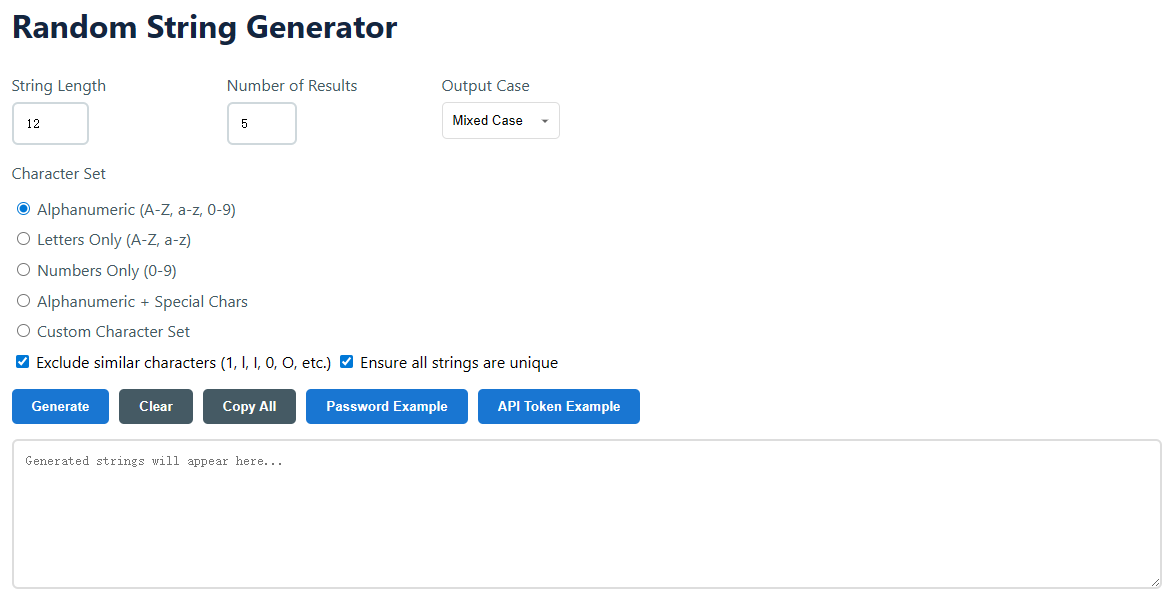
Yes. The program uses strong algorithms built for cryptography purposes to generate high-entropy strings. So if you choose options like "Alphanumeric + Special Chars" and a length that's long enough (16+ chars, for example), the result becomes impossible to guess or to brute-force computationally. Always use this tool with a safe storage technique – e.g., a dedicated secrets manager – when deploying to production for maximum security.
This program can generate great passwords, although it is more versatile. A password generator is frequently optimised specifically for login credentials and may include preset rules. Our Random String Generator is a simple tool for developers and IT experts. It is used for generating API keys, session tokens, unique keys for databases, software licenses, dummy data for testing and system identifiers when the requirements are more than conventional password restrictions.
Custom character sets are essential to produce strings that must be in compliance with rigorous, non-standard syntax restrictions. Typical use cases include the generation of promo codes using only a subset of letters and digits ( e.g., " A, B, C, 1, 2, 3 " ), product serial numbers with a given prefix format, or the generation of test inputs for software that takes only a limited palette of symbols. This offers you full control over which alphabet is utilised for generating.
This property improves human readability and eliminates errors in manual transcription. In several fonts, the number '1', the letter 'l' and the uppercase 'I' might all look alike. Similarly , ' 0 ' ( zero ) and ' O ' ( capital o ) are sometimes misunderstood. By removing them, you construct strings that are easier to read over the phone, type from a printed card, or identify in a log file, minimising support tickets and user frustration.
This can save you a ton of time when you need to do things like: provision new employee accounts in a system, generate unique activation codes for a software launch, populate a test database with thousands of realistic but fake user IDs, or generate a set of temporary access tokens for a workshop. Here, the checkbox “Ensure all strings are unique” is important to keep the integrity of the data.