
Hex to ASCII Converter is a simple digital utility that converts hexadecimal (hex) code to human-readable ASCII text. In computing and programming, hexadecimal is often employed as a human-friendly representation of binary-coded values. ASCII (American Standard Code for Information Interchange) is a standard character encoding scheme that allocates a number to each letter, digit, and symbol. This conversion is important in industries such as software development, cybersecurity, digital forensics and data recovery where raw data needs to be understood. This is a really hard operation, but you can do it with our online tool instantaneously without any manual math or programming skills.
Hexadecimal Digit: 0-9, A-F (stands for values 0-15)ASCII Character: Letters, numbers, punctuation (e.g., 'A', '7', '!')Example Conversion: 48 65 6C 6C 6F → HelloCommon Usage: Debugging, Network Analysis, Reverse EngineeringTool Feature: Auto-filtering, Real-time conversion, File upload, Example data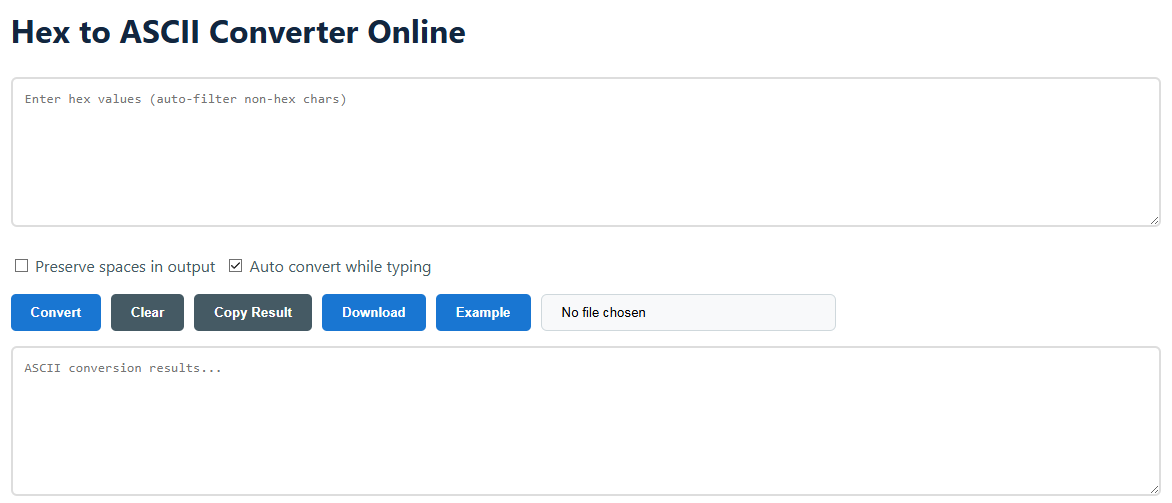
Our converter is intended for ease and efficiency. Here are some easy steps to convert any hex string into understandable text. The interface also has clever features such as auto-filtering of incorrect characters and real-time conversion to make your productivity smoother. Whether you paste a snippet from a memory dump or upload a log file, the process is simple and requires no technical preparation.
1. Input: Paste your hex string into the text area. Non-hex characters, such as G, Z or ?, are automatically removed.2. Options: To maintain spaces in the output, click "Preserve spaces". To control it manually, uncheck "Auto convert".3. Action: Click Convert or let auto-convert do its job. Use Clear to reset, Copy to copy the output, or Download as a .txt file.4. Upload: Use file input to upload a .txt file containing hex data for bulk conversion.5. Example: Click the Example button to load a sample hex string and watch it convert instantly.Hexadecimal is a number system that allows you to represent binary data in a more compact form. ASCII is a character encoding standard that uses numbers to represent text symbols. Hex is typically the "code," and ASCII is the "meaning". For example, the hex value 41 stands for the decimal number 65, which is the uppercase letter 'A' in the ASCII table.
Our tool has a smart auto-filter. When processing, any character not in the set 0-9, a-f, A-F, or a space is eliminated silently. For instance, "48gG65!6C" will be reduced to "48656C" before it is converted, which allows for solid error handling.
Yes, although the output may be a control character or a placeholder (for example, a space or a box). ASCII codes 0-31 are standard control characters (e.g., 0A is Line Feed). The tool will convert them, but how they seem depends on your text viewer.
If this option is set, then any spaces in the input hex string will be returned as space characters (20 in hex) in the ASCII output. If disabled, spaces in the input are not considered delimiters.
The tool is intended for practical, web-based use. The text field has a very high character limit, but speed is ideal for documents up to several hundred kilobytes. When dealing with huge files, try dividing the data or using offline programming frameworks.
The translation from hex to ASCII is not merely an academic exercise, but has vital real-world applications in the field of technology. The acknowledgement of these use cases emphasises the utility of the tool for professionals, students, and amateurs alike. This translation is an important stage in the interpretation of data, from troubleshooting complex software to analysing network traffic.