
Convert any number into a written form, for use in checks, documents, etc.
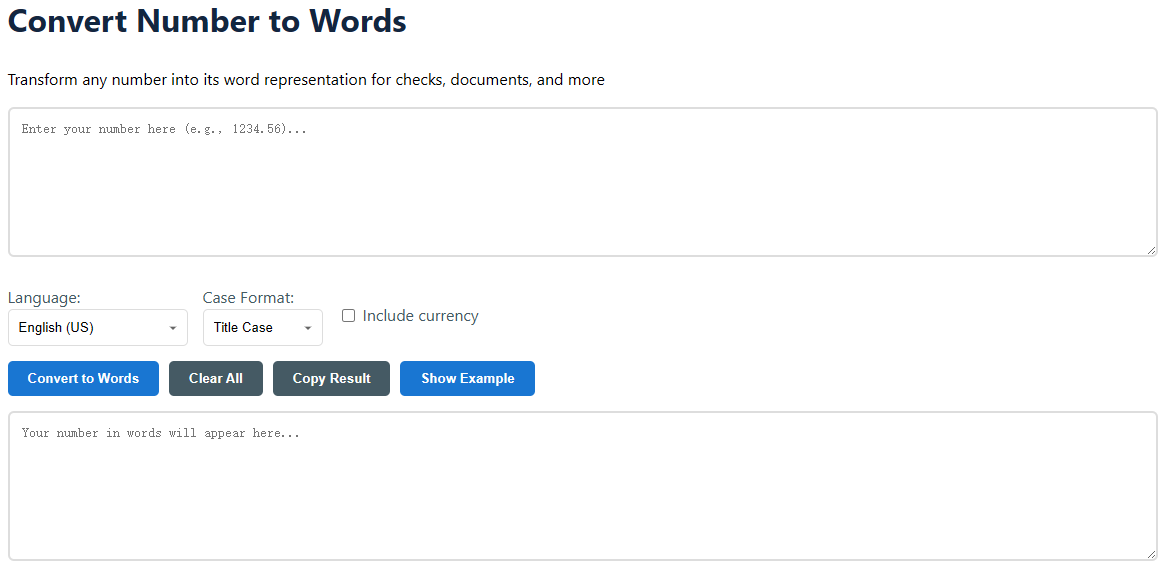
Language: Choose from English (US), English (UK), Spanish, French, or German. This affects word structure and currency format (e.g., "and" placement in US vs UK English).Case Format: Choose Title Case (One Hundred), Lower Case (one hundred), or Upper Case (ONE HUNDRED) to meet your document's style guide.Include Currency: Check this box to add the proper currency name (e.g., "Dollars" or "Euros") to the end of the converted result.Add Commas for Readability: (Optional) If checked, this option will insert commas into the numeric input for easier visual parsing.Show Example: Click this button to load a sample number and watch the conversion in action.Convert to words: To process your number, press the main button. The output box shows the outcome immediately.Copy Result: Instantly copy the transformed text to your clipboard to be pasted into any document or form.Clear All: To initiate a new conversion, clear the input and output fields.Input number: 2750.83
Settings: English (US), Title Case, Include Currency (USD)
Output: Two Thousand Seven Hundred Fifty and 83/100 Dollars
The converter is able to cope with very high numbers , usually up to the order of centillions ( numbers of 303 digits ) before the nomenclature is non - standard . For all intents and purposes, global GDP figures, astronomical computations, it’s more than enough. If you come across a figure that is too huge, the tool will give an obvious error message.
Conversion to decimal is exact. The whole number section is spelled out in words, and the fraction part is written as a fraction over 100 (or whatever power of ten is appropriate). For example, "123.45" is converted to "One Hundred Twenty-Three and 45/100". This is the normal way financial papers are laid out, notably checks. The tool does not simplify the fraction (45/100 is not simplified to 9/20) to keep the direct decimal connection.
The key distinction is the use of "and". US English often only places the "and" before the decimal/fractional section (e.g., One Hundred Twenty-Three and 45/100). UK English uses "and" after "hundred" (e.g., "One Hundred and Twenty Three"). Our converter recognizes these regional conventions. Some high numbers (billion, trillion) may be different, but the tool uses the present short-scale system (where a billion is 1,000 million) for both.