
Conversion of numbers from the decimal system (base-10) to the hexadecimal system (base-16) is a basic process in computer science and digital electronics. Humans count in tens intuitively, but computers count in binary. Each hex digit corresponds exactly to four binary digits (bits); it's a far more compact and human-readable way to represent binary data. And this is where our converter tool comes in! It closes the gap and helps you quickly convert any decimal value to its hex counterpart with precision and versatility.
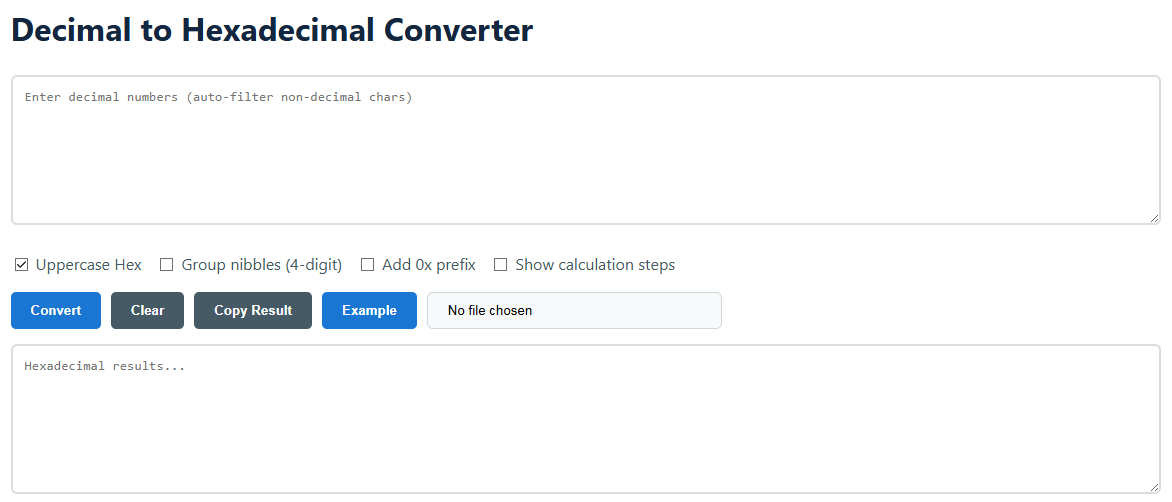
Decimal is a base 10 system, using the symbols 0 through 9. Each digit has a value that is multiplied by a power of 10 depending on where it is in the number. Hexadecimal, meanwhile, has sixteen symbols; the numerals 0-9 and the letters A-F (for values 10 to 15). To convert from decimal to hex, you continually divide the decimal number by 16. The remainders of those divisions are the hex digits, written in reverse order.
Example: Decimal 255 to hex.
255 / 16 = 15, Remainder 15 (which is 'F' in hex)
15 / 16 = 0, Remainder 15 ('F')
Reading remainders backwards: FF
So 255 (decimal) = FF (hexadecimal).
This remaining approach is the basic algorithm of the manual. We automate this, even for very huge amounts that would be hard to work out by hand, so you’re always sure of accuracy.
To use this tool, simply enter your decimal number in the input box. The utility strips away any non-numeric characters automatically. Then you can format the output with the options: capital (FF) or lowercase (ff), combine nibbles for readability, add the typical '0x' programming prefix, or even show the step-by-step calculation. Click “Convert” to quickly view the result, which you can then copy with a single click.
Tool Input: 4096
Options: Uppercase ON, Prefix ON, Grouping ON
Tool Output: 0x1000
For batch processing, you can enter several numbers separated by spaces or new lines. The button “Example” loads a sample. The button “Clear” resets the fields. Or upload a .txt file with a list of decimal numbers and convert them in bulk.
This Decimal to Hex Converter is intended for professionals, students and amateurs who need accurate and rapid conversions. It’s useful for everything from troubleshooting low-level software to building digital hardware to analysing memory dumps. The tool's strong features avoid common conversion errors and save significant time, making it an essential tool for technical work.