
Rimuovere tutti i tag HTML o rimuovere selettivamente tag specifici mantenendone altri
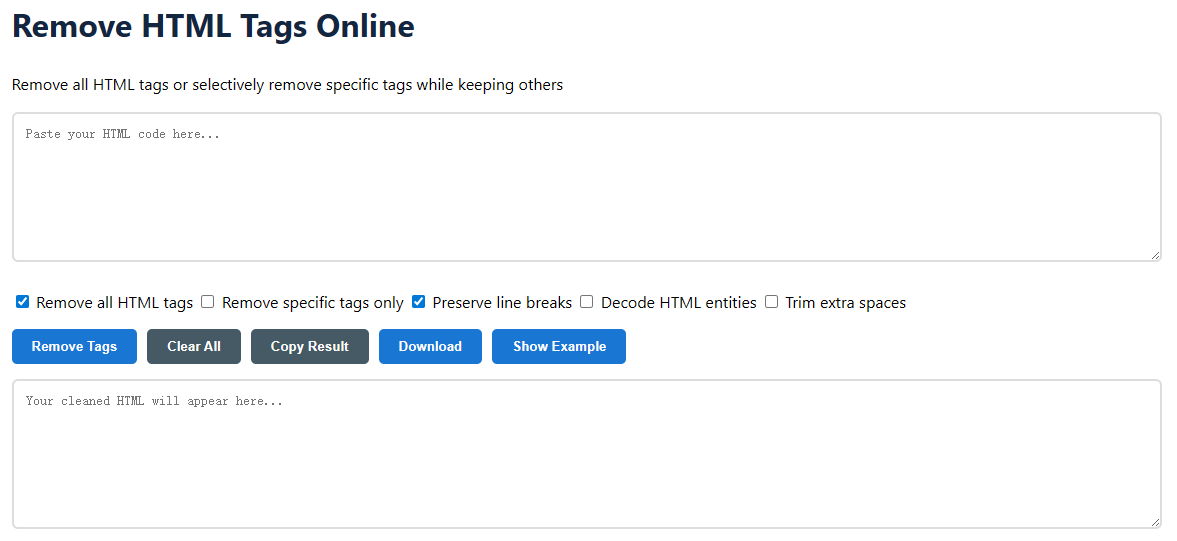
Easily and quickly remove HTML tags from your code with our free online tool. Do you want to extract plain text from a web page, clean content for a database, or prepare code for a new format? This program will do it easily and without the need to download anything. It is a simple process and no technical knowledge is required.
Rimuovere tutti i tag HTML: Removes all tags and leaves only the raw text content.Rimuovere solo determinati tag: Rimuovere selettivamente tag specifici con i pulsanti dei tag qui sotto.Mantieni i ritorni a capo: Mantiene i tag <br> e le interruzioni di riga per preservare la struttura del tuo contenuto.Decodifica le entità HTML: Converte caratteri come & e < in & e <.Rimuovi gli spazi extra: Remove unnecessary spaces for a neat output.To remove specific tags, click on the tag buttons (for example, <div>, <span>, <p>) that you want to delete. You can also type your custom tags that are not on the list. Now click on “Remove tags” and the clean text will be displayed immediately in the output box. Press the “Copy result” or “Download” buttons to save your work.
I tag HTML (HyperText Markup Language) sono i mattoni delle pagine web. Sono comandi, chiamati tag (come <p> o <a>), which tell a web browser how to arrange and display the material. These tags are necessary to build interactive and rich web pages, but they can be superfluous and problematic when simple text content is needed for other uses.