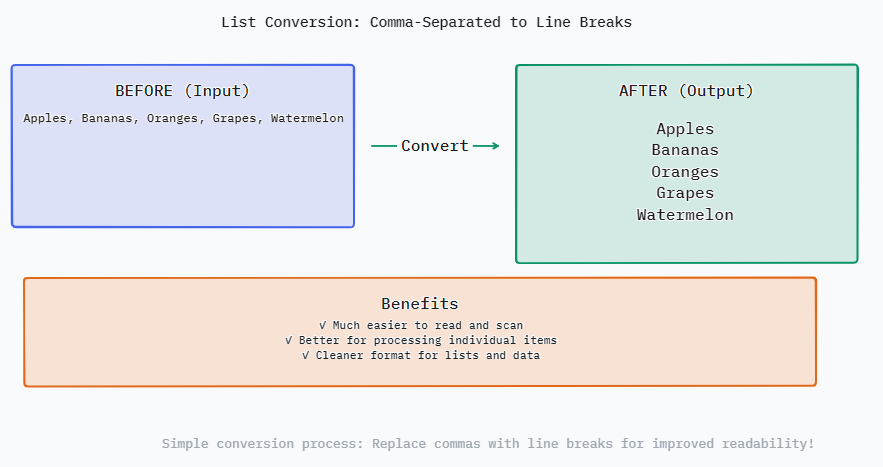
該轉換器通過嚴謹的計算程序來確保準確性和效率。當你點擊「轉換」時,工具首先會讀取你的原始輸入字串。然後,它會使用逗號 (,) 將字串「拆分」。這個操作會將單一文本塊拆分成一個由不同子字串組成的陣列。可選步驟「去除空格」會遍歷這個陣列,刪除每個子字串開頭和結尾的空白字元。最後,「刪除空行」過濾器會遍歷陣列並移除任何空字串元素。處理後的陣列會被重新組裝,每個項目之間用換行字元 (` ` 或 ` `,取決於你的作業系統) 結合,這就提供了視覺上的換行效果。所有這些操作都在毫秒內完成,讓你得到一個整齊的列表。
它解決了眾多數位任務中經常出現的挑戰。將逗號分隔值轉換為換行分隔清單,是資料準備、內容組織和工作流程自動化中一項關鍵任務。它填補了將資料以壓縮格式匯出的系統與要求清單式輸入的應用程式之間的差距。它節省了手動重新格式化所花費的時間,使專業人員和學生能專注於分析和內容創作,而非繁瑣的編輯。
以下是一些典型的查詢和專家建議,幫助您充分利用這個工具並避免常見錯誤。了解該工具如何處理邊緣情況,無論您處理的是基本列表還是複雜的巢狀數據字符串,都能幫助您得到想要的結果。
輸入(以逗號分隔): A messy, raw list as it might be copied from a variety of sources.
Project Alpha Active In Planning,Completed, On Hold Completed
輸出(每行分隔): The same data after conversion with “Trim spaces” and “Remove empty lines” checked.
**Project Alpha** Active In Planning
Completed
On Hold
Completed
分析: Notice how the conversion cleansed the data. Trimmed superfluous spaces surrounding " Active " and " On Hold ". The successive commas form an empty entry ", ,". That entry was completely deleted. The outcome is a nice, tidy vertical list with six different project status entries clearly displayed. This format is ready to be used as a status report, dashboard, or to be pasted into a table column. It clears visual clutter and makes duplicate entries ("Completed") obvious at a glance, which would have been missed in the comma-separated text.