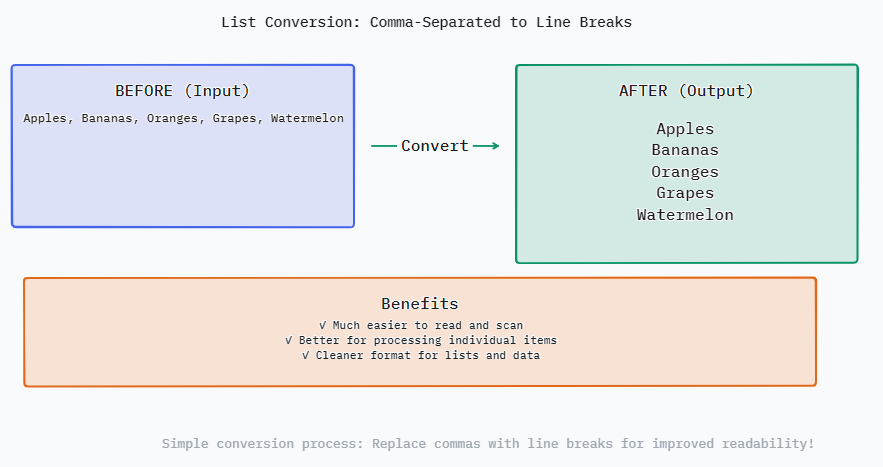
该转换器通过严格的计算程序以确保准确性和效率。当你点击“转换”时,工具首先读取你的原始输入字符串。然后它使用逗号字符(,)将其“拆分”。此操作将单个文本块分割成不同子字符串的数组。可选步骤“修剪空格”会遍历该数组,删除每个子字符串开头和结尾的空白字符。最后,“删除空行”过滤器会遍历数组,删除任何空字符串元素。处理后的数组随后被重建,将每个项目与换行字符(` ` 或 ` `,取决于你的操作系统)结合起来,这就形成了视觉上的换行。所有这些操作都在几毫秒内完成,为你提供一个整齐结构化的列表。
它解决了许多数字任务中一个频繁出现的挑战。将逗号分隔的值转换为换行分隔的列表是数据准备、内容组织和工作流自动化中的一项关键任务。它弥补了以压缩格式导出数据的系统与需要基于列表输入的应用程序之间的空白。它节省了手动重新格式化所花费的时间,使专业人士和学生能够专注于分析和内容创作,而不是繁琐的编辑。
以下是一些典型的查询和专家建议,帮助您充分利用该工具并避免常见错误。了解该工具如何处理边缘情况将帮助您获得所需的结果,无论您是在处理基本列表还是复杂的嵌套数据字符串。
输入(用逗号分隔): A messy, raw list as it might be copied from a variety of sources.
Project Alpha Active In Planning,Completed, On Hold Completed
输出(逐行): The same data after conversion with “Trim spaces” and “Remove empty lines” checked.
**Project Alpha** Active In Planning
Completed
On Hold
Completed
分析: Notice how the conversion cleansed the data. Trimmed superfluous spaces surrounding " Active " and " On Hold ". The successive commas form an empty entry ", ,". That entry was completely deleted. The outcome is a nice, tidy vertical list with six different project status entries clearly displayed. This format is ready to be used as a status report, dashboard, or to be pasted into a table column. It clears visual clutter and makes duplicate entries ("Completed") obvious at a glance, which would have been missed in the comma-separated text.